
Import and export
Importing pictures
Inside a project, tap the download icon in the toolbar and choose ‘Image…’. Kritzel Studio accepts PNG, JPG, GIF, BMP and WebP files.
The picture is placed on a new layer above the active one, named after the file. It is scaled to fit within 800 × 800 canvas units, centred in the view and selected straight away, so you can move, scale and rotate it immediately. Imported pictures are stored inside the project. A good use is a reference photo or a scan on its own layer that you trace on a layer above, with the picture layer locked or its opacity reduced.
Importing SVG files
Choose ‘SVG…’ in the same menu to import vector graphics. The artwork lands on a new layer named after the file, centred in the view, and each shape becomes an editable stroke or shape. A short report then tells you how many elements were imported and lists anything that could not be carried over.
Kritzel Studio understands the common parts of SVG: rectangles, circles, ellipses, lines, polylines, polygons and paths, groups, transformations, fill and stroke colours and widths, opacity, reused elements (<use>) and simple style sheets. Some things are simplified or left out, and the report says so:
- Text is skipped.
- Embedded pictures are skipped.
- Gradients become a single colour (the first colour of the gradient).
- Clipping, masks and filters are ignored; the shape is imported without them.
- A shape with both a fill and an outline keeps only its fill.
- Rotated or skewed rectangles and ellipses become polygons.
- Very detailed drawings are thinned out so that the import stays responsive.
Opening files from other apps
Kritzel Studio can also open files directly from a file manager, the Files app, Finder or Explorer (‘Open with’). Each file becomes a new project and opens right away:
- A
.kritzelfile is imported as a copy at the top level of the gallery. - An SVG file becomes a new project named after the file, with the artwork on its first layer.
- A picture becomes a new project with the picture on its own layer.
Which file types the system offers to Kritzel Studio depends on the platform. On iPad and Mac, .kritzel, SVG and picture files can be opened with Kritzel Studio. On Android, use ‘Open with’ in a file manager (Kritzel Studio does not appear in the Android share menu). On Windows, double-clicking a .kritzel file opens it in Kritzel Studio, and SVG files offer Kritzel Studio under ‘Open with’.
Exporting a drawing
Tap the share icon in the toolbar, or press Ctrl+E, to open the export dialog.
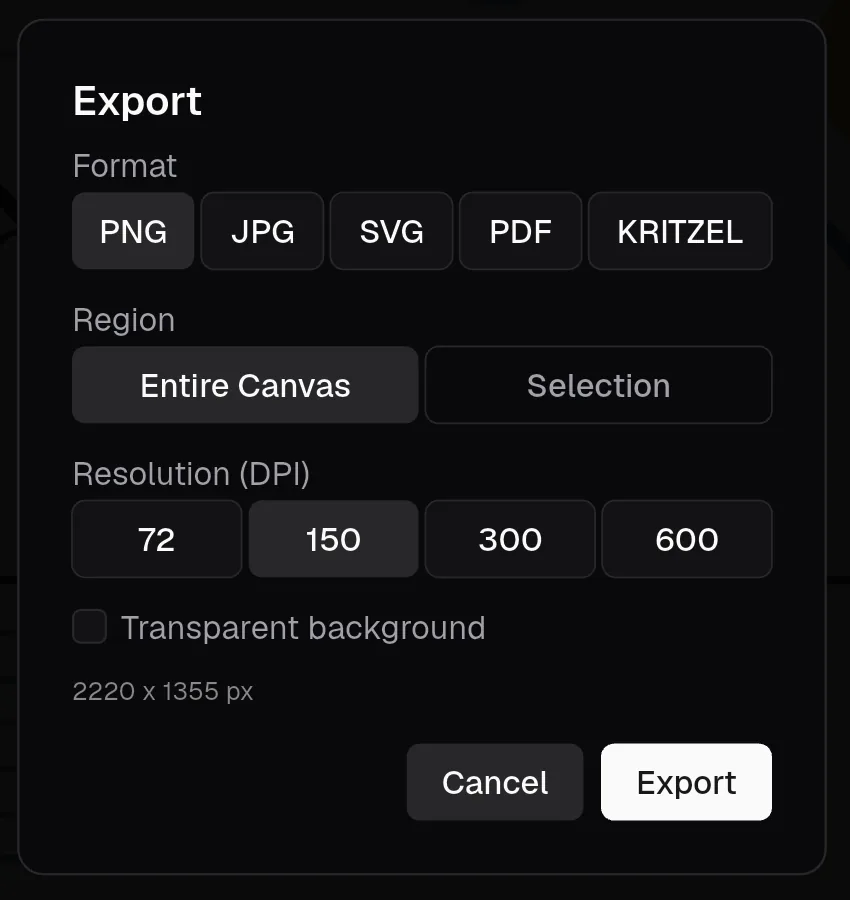
Choose a format:
| Format | Best for | What to know |
|---|---|---|
| PNG | Sharing images, transparency | Choose 72, 150, 300 or 600 DPI. ‘Transparent background’ leaves the background empty. |
| JPG | Photos and small files | Same resolutions, plus ‘Quality’ (10% to 100%, default 90%). JPG has no transparency; a transparent background turns white. |
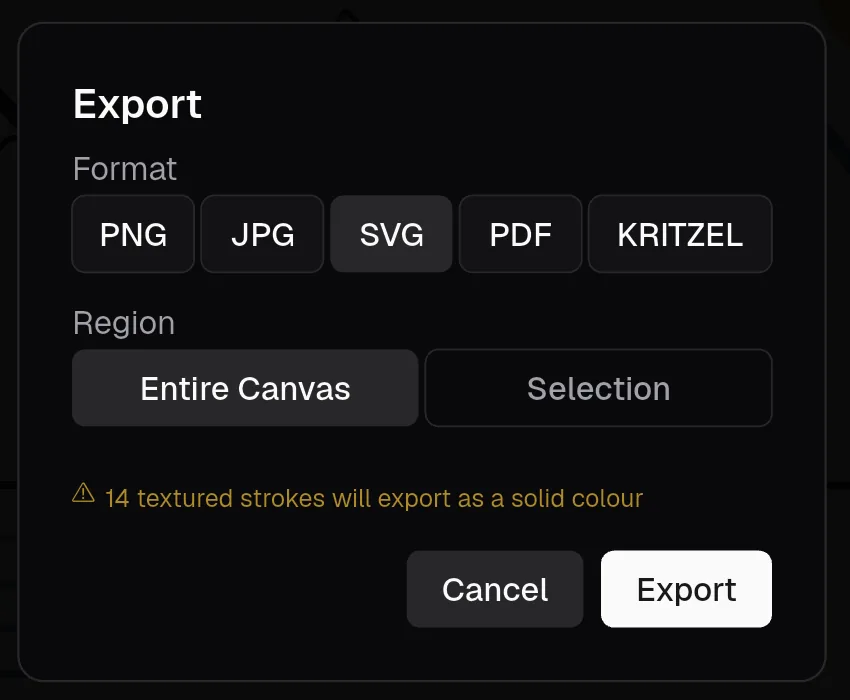
| SVG | Further editing in vector programs | Layers become named groups, text stays text. Pictures are left out and brush textures become solid colours. Fonts are referenced by name, not embedded. |
| Printing and documents | One page, exactly the size of the drawing. Strokes, shapes and text stay vector; fonts are embedded. With ‘Include textures & images’ (on by default), textured strokes and pictures are embedded as images; switch it off for a pure vector PDF without them. | |
| KRITZEL | Backups and moving to another device | The complete project, including pictures and layers. It can be imported again without any loss. |
‘Region’ decides what is exported. ‘Entire Canvas’ exports everything on visible layers, cropped to the drawing; hidden layers are left out. ‘Selection’ exports only the selected objects (select them first).
If a format will lose something, the dialog warns you before you export, for example ‘14 textured strokes will export as a solid colour’.
The resolution is calculated from the size of the drawing: at 72 DPI, one canvas unit is one pixel. The longer side of an exported image is limited to 8192 pixels. If your settings would exceed that, the dialog shows the resolution that will actually be used.
The file is named after the project. On a tablet, Kritzel Studio then opens the share sheet, from where you can save the file, send it or open it in another app. On a Mac or PC, a save dialog lets you choose the location.
The format and resolution the dialog starts with can be changed in the settings.
Exporting whole projects
To export one or more complete projects as .kritzel files, use ‘Export’ in the gallery. See Backing up projects.